1.1
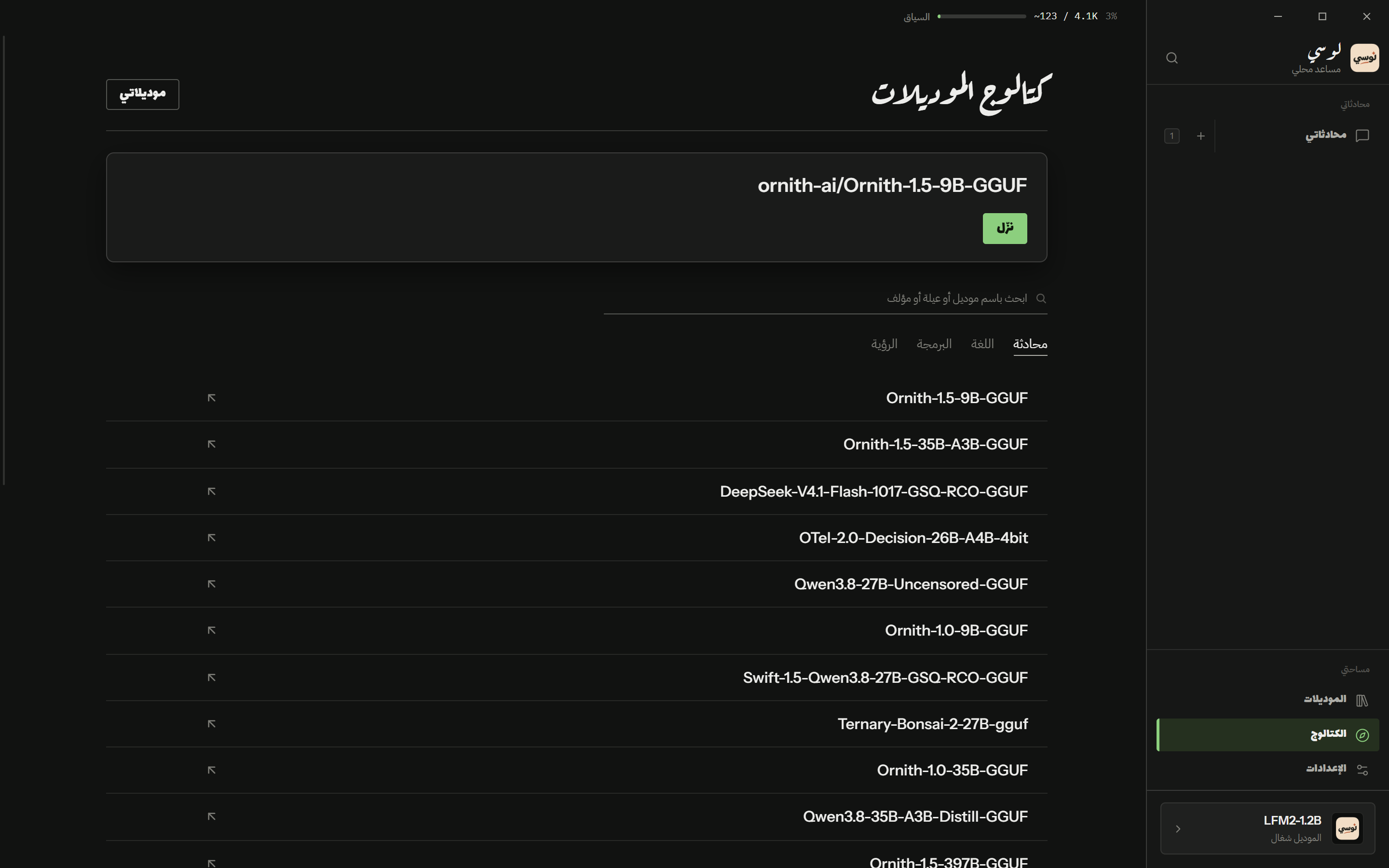
What models can I get?
A search of Hugging Face, filtered to the models that can actually run on the machine you are using.
The machinery
What it is
A list of downloadable chat and vision models with size, quantization, and a note when a model is gated and needs a Hugging Face account.
How it is made
The main process talks to the public Hugging Face API: /api/models for the search and /api/models/<id>/tree/main for the file list, plus the model README for the description. No key for public models; a personal token only for gated ones.
How it works
You type in the catalog screen; the query goes to the main process, and the renderer never touches the network itself. The page is sandboxed and its content security policy allows connections only to 127.0.0.1. Every cursor the API returns is checked to be on huggingface.co before it is followed, so a hostile response cannot redirect you elsewhere.
1.2
Which one fits my computer?
Two picks made for your machine, not for the average machine.
The machinery
What it is
A “best for this computer” pick and one bigger option, shown on the first-run screen and in the catalog.
How it is made
The same tier logic the desktop app uses, src/lib/device-fit.ts, ranks the machine by usable video memory and system memory; the catalog filters by what fits.
How it works
Your hardware is read once at startup: processor, memory, graphics card, free disk. The result is a tier from tiny to ultra, and the recommendation asks for a model that fits inside it. A machine with 8 GB of RAM gets a 2 GB model, not a 30 GB one.
1.3
Can it inspect a model without loading it?
Yes — name, architecture, context length and whether the file is complete, without touching the weights.
The machinery
What it is
Metadata about a .gguf file: real model name, architecture, context length, quantization, and whether the file is whole.
How it is made
The GGUF metadata block is parsed directly. Only the header is read — a 24 MB window — never the whole file, so a 30 GB model costs kilobytes to inspect.
How it works
A download that stopped early still has a valid header, so it would look fine. LOCY compares the last tensor offset against the end of the file and labels the model incomplete instead of letting you wait for a two-minute timeout later.
1.4
Can it see pictures?
With a vision model, yes — and it takes two files instead of one.
The machinery
What it is
Support for sending an image to a model that can read pictures.
How it is made
A vision model is paired with a separate mmproj projector file. The two run in a second, independent engine on its own port.
How it works
The projector is never loaded as a model — passing it to llama.cpp as -m is fatal, so LOCY keeps them apart. Attach a picture to a model that cannot see and the app says so plainly. Projectors never show as “running” either: they are an encoder, not a chat model.
1.5
Is there a model in the installer?
No. Not on Windows, not in the Store package, not on Android. That rule is why the Store download is 180 MB instead of 877.
The machinery
What it is
No installer contains a model. The first launch does nothing to your models folder.
How it is made
What used to seed a starter model was removed from electron/lib/firstrun.js, from the Android application class, and from the packaging configuration.
How it works
On first run the app only checks whether a model already exists on the computer and points at it. Everything else is your choice — from the catalog, or from a file you already had.
 Locy